Bare-Metal Workloads
Available as of v1.9.0
Do not use the embedded Rancher instance to deploy and manage production bare-metal workloads. This embedded instance is strictly for cluster debugging and validation. You must use an external Rancher instance to manage container workloads running on a Harvester cluster.
Rancher harvester-baremetal-container-workload Feature Flag
GA as of Rancher v2.15.x
Enabling the Rancher feature flag harvester-baremetal-container-workload exposes managed Harvester clusters as traditional downstream Kubernetes clusters within the Rancher UI.

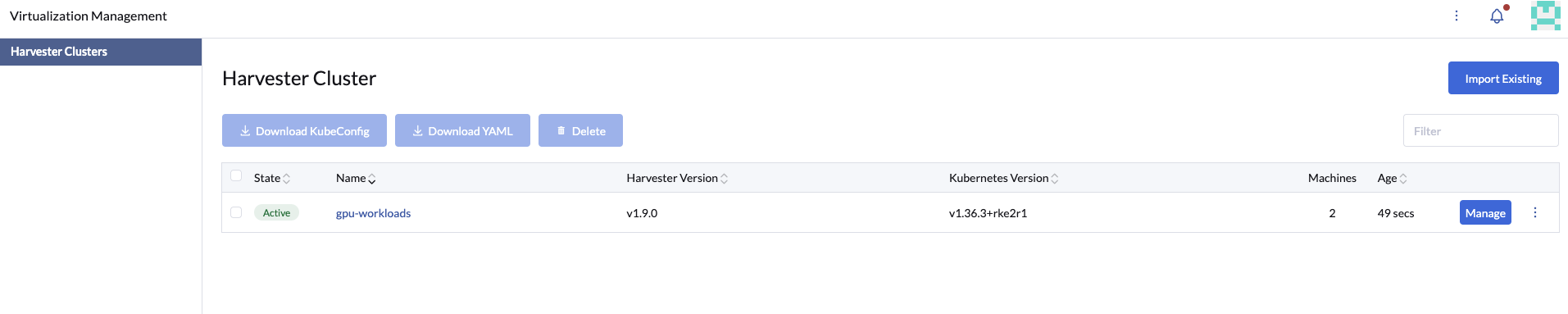
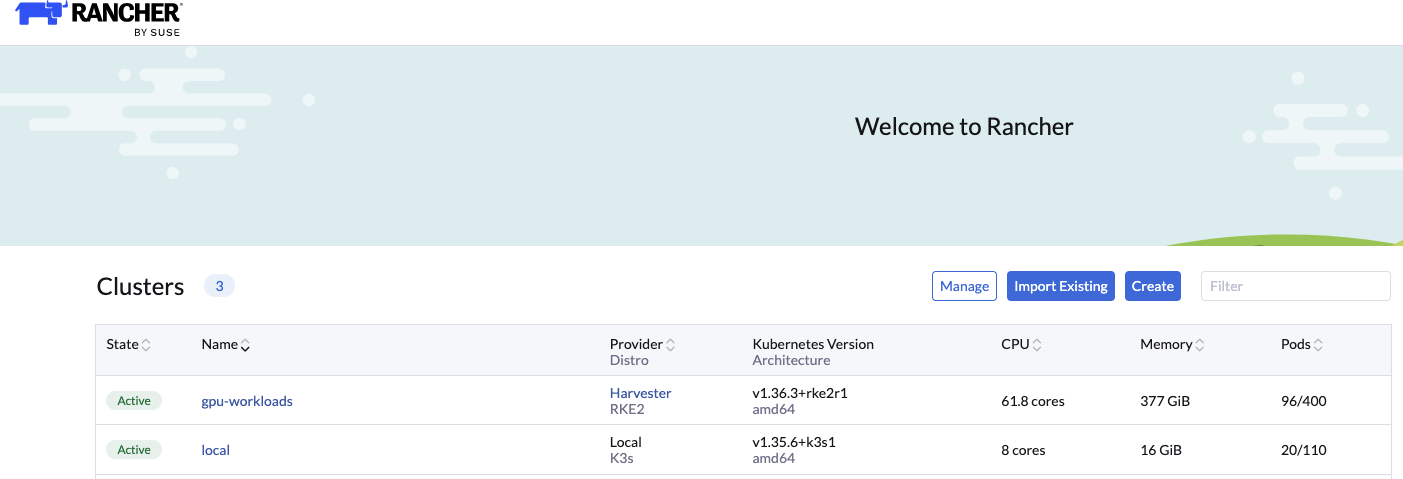
Once enabled, you can access and manage these Harvester clusters from the following Rancher UI locations:
-
Virtualization Management > Harvester Clusters
-
Cluster Management > Clusters
Harvester manages the lifecycle of the following embedded add-ons:
- Rancher Monitoring
- Rancher Logging
- Embedded Rancher
- Embedded Fleet
These components are upgraded automatically as part of Harvester cluster upgrades. Modifying or upgrading these add-ons manually out of band can result in cluster instability and other undesirable side effects.
RKE2 and OS are upgraded automatically as part of Harvester cluster upgrades.
Bare-Metal GPU Workloads
This configuration applies only when running a combination of virtual machines using vGPUs alongside containers leveraging physical GPUs on the same Harvester cluster.
Harvester leverages the NVIDIA GPU Operator for bare-metal GPU workloads.
If your cluster includes multiple GPU-equipped nodes, you can dedicate specific nodes exclusively to bare-metal container workloads by applying the node label harvesterhci.io/gpu-baremetal-workloads: "true".
Applying this label disables Harvester's internal SRIOVGPUDevice management on the designated nodes and prevents nvidia-driver-toolkit pods from deploying to them, allowing the NVIDIA GPU Operator to take full control of the host GPU devices.
Sample Cluster Configuration
The following example uses a two-node Harvester cluster with three physical GPUs:
- Node
hp-195contains 2 GPUs. - Node
hp-1992contains 1 GPU.
(⎈|local:default)➜  ~ kubectl get nodes -o wide
k NAME      STATUS   ROLES                AGE   VERSION          INTERNAL-IP     EXTERNAL-IP   OS-IMAGE           KERNEL-VERSION                     CONTAINER-RUNTIME
hp-195    Ready    control-plane,etcd   82d   v1.36.3+rke2r1   10.115.50.225   <none>        Harvester v1.9.0   6.12.0-160000.37-default (amd64)   containerd://2.3.3-k3s1
hp-1992   Ready    <none>               82d   v1.36.3+rke2r1   10.115.53.172   <none>        Harvester v1.9.0   6.12.0-160000.37-default (amd64)   containerd://2.3.3-k3s1
(⎈|local:default)➜  ~ kubectl get sriovgpudevices
NAME                ADDRESS        NODE NAME   ENABLED   VGPUDEVICES
hp-195-000026000    0000:26:00.0   hp-195      false
hp-195-000089000    0000:89:00.0   hp-195      false
hp-1992-000026000   0000:26:00.0   hp-1992     false
-
Apply the label
harvesterhci.io/gpu-baremetal-workloads: "true"to the bare-metal GPU nodehp-1992.kubectl label node hp-1992 harvesterhci.io/gpu-baremetal-workloads=trueApplying this label removes the associated
SRIOVGPUDeviceson that node from Harvester management.(⎈|local:default)➜ ~ kubectl get sriovgpudevices
NAME ADDRESS NODE NAME ENABLED VGPUDEVICES
hp-195-000026000 0000:26:00.0 hp-195 false
hp-195-000089000 0000:89:00.0 hp-195 false
(⎈|local:default)➜ ~ -
Apply the operand exclusion label to node
hp-195to prevent the GPU Operator from deploying container drivers to nodes reserved for virtual machine-based vGPU workloads.kubectl label node hp-195 nvidia.com/gpu.deploy.operands=false -
Deploy the NVIDIA GPU Operator to the cluster using a HelmChart resource.
apiVersion: helm.cattle.io/v1
kind: HelmChart
metadata:
name: gpu-operator
namespace: kube-system
spec:
repo: https://helm.ngc.nvidia.com/nvidia
chart: gpu-operator
version: v26.3.2
targetNamespace: gpu-operator
createNamespace: true
valuesContent: |-
    toolkit:
    env:
    - name: CONTAINERD_SOCKET
        value: /run/k3s/containerd/containerd.sock
    driver:
    repository: registry.suse.com/third-party/nvidia
    usePrecompiled: true
version: 595 -
After a few minutes, verify that all GPU Operator components are deployed and running on
hp-1992.(⎈|local:default)➜ ~ kubectl get pods -n gpu-operator -o wide
NAME READY STATUS RESTARTS AGE IP NODE NOMINATED NODE READINESS GATES
gpu-feature-discovery-jrkpl 1/1 Running 0 3m 10.52.1.41 hp-1992 <none> <none>
gpu-operator-6d8769c57c-5vmxr 1/1 Running 0 3m31s 10.52.1.31 hp-1992 <none> <none>
gpu-operator-node-feature-discovery-gc-847bb8f7b6-l6kt9 1/1 Running 0 3m31s 10.52.1.30 hp-1992 <none> <none>
gpu-operator-node-feature-discovery-master-d98f944cd-sphdv 1/1 Running 0 3m31s 10.52.1.32 hp-1992 <none> <none>
gpu-operator-node-feature-discovery-worker-6bhr2 1/1 Running 0 3m31s 10.52.1.33 hp-1992 <none> <none>
gpu-operator-node-feature-discovery-worker-csz6t 1/1 Running 0 3m31s 10.52.0.82 hp-195 <none> <none>
nvidia-container-toolkit-daemonset-9dfb6 1/1 Running 0 3m 10.52.1.36 hp-1992 <none> <none>
nvidia-cuda-validator-kss5x 0/1 Completed 0 26s 10.52.1.42 hp-1992 <none> <none>
nvidia-dcgm-exporter-zq594 0/1 Running 0 3m 10.52.1.39 hp-1992 <none> <none>
nvidia-device-plugin-daemonset-b7g8z 1/1 Running 0 3m 10.52.1.40 hp-1992 <none> <none>
nvidia-driver-daemonset-6.12.0-160000.37-default-sles16.0-8x7x6 1/1 Running 0 3m9s 10.52.1.34 hp-1992 <none> <none>
nvidia-operator-validator-nbqd4 1/1 Running 0 3m 10.52.1.38 hp-1992 <none> <none> -
Test GPU workload execution by deploying a sample CUDA benchmark pod.
apiVersion: v1
kind: Pod
metadata:
name: nbody-gpu-benchmark
namespace: default
spec:
restartPolicy: OnFailure
# runtimeClassName: nvidia <== Only needed for v25.3.x
containers:
- name: cuda-container
    image: nvcr.io/nvidia/k8s/cuda-sample:nbody
    args: ["nbody", "-gpu", "-benchmark"]
    resources:
    limits:
        nvidia.com/gpu: 1
(⎈|local:default)➜ ~ kubectl get pod
NAME READY STATUS RESTARTS AGE
nbody-gpu-benchmark 0/1 Completed 0 11s
(⎈|local:default)➜ ~ kubectl logs nbody-gpu-benchmark
Run "nbody -benchmark [-numbodies=<numBodies>]" to measure performance.
-fullscreen (run n-body simulation in fullscreen mode)
-fp64 (use double precision floating point values for simulation)
-hostmem (stores simulation data in host memory)
-benchmark (run benchmark to measure performance)
-numbodies=<N> (number of bodies (>= 1) to run in simulation)
-device=<d> (where d=0,1,2.... for the CUDA device to use)
-numdevices=<i> (where i=(number of CUDA devices > 0) to use for simulation)
-compare (compares simulation results running once on the default GPU and once on the CPU)
-cpu (run n-body simulation on the CPU)
-tipsy=<file.bin> (load a tipsy model file for simulation)
NOTE: The CUDA Samples are not meant for performance measurements. Results may vary when GPU Boost is enabled.
> Windowed mode
> Simulation data stored in video memory
> Single precision floating point simulation
> 1 Devices used for simulation
MapSMtoCores for SM 8.9 is undefined. Default to use 128 Cores/SM
MapSMtoArchName for SM 8.9 is undefined. Default to use Ampere
GPU Device 0: "Ampere" with compute capability 8.9
> Compute 8.9 CUDA device: [NVIDIA L4]
59392 bodies, total time for 10 iterations: 56.420 ms
= 625.207 billion interactions per second
= 12504.139 single-precision GFLOP/s at 20 flops per interaction
(⎈|local:default)➜ ~
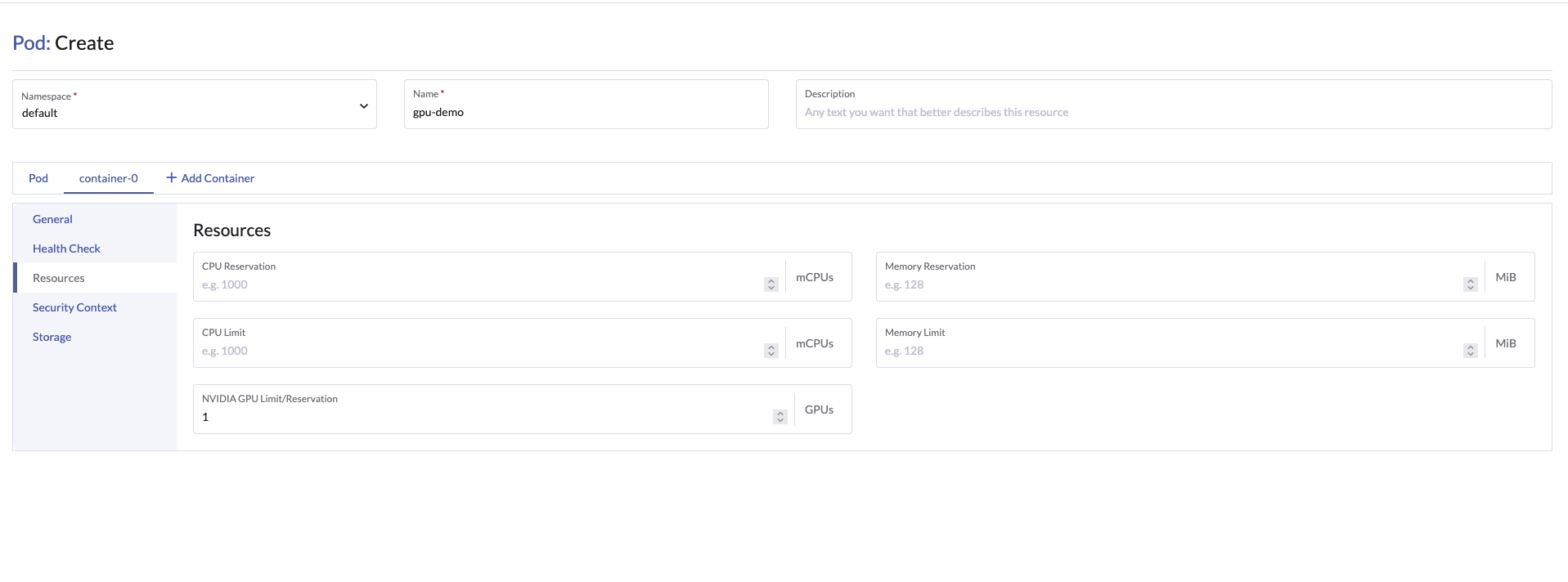
You can also configure GPU requests and limits for container workloads directly using the Rancher UI.