Logging
The following sections contain tips to troubleshoot Harvester Logging.
Failed to enable rancher-logging Add-On
Issue Description
An error message appears on the Harvester UI when you attempt to enable the rancher-logging add-on.
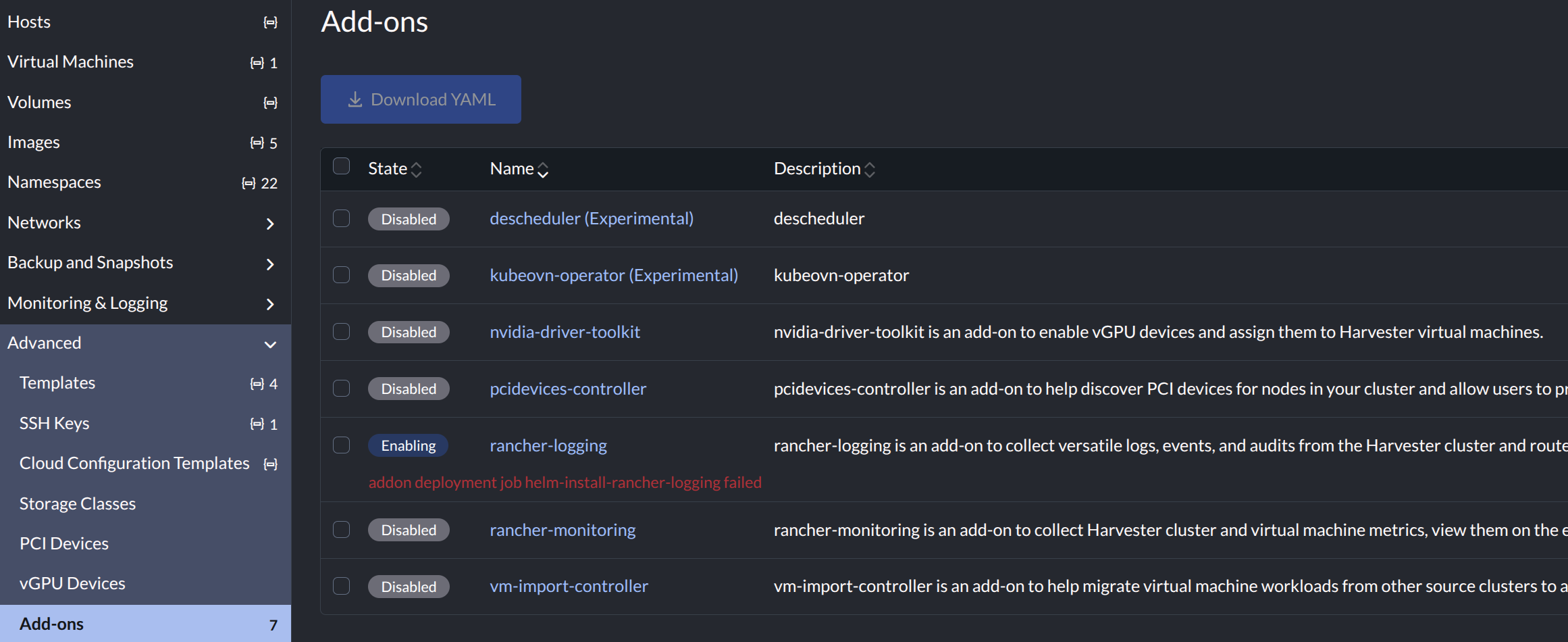
Log messages from the cattle-logging-system/helm-install-rancher-logging pod confirm that an error has occurred.
Example:
...
 echo 'Installing helm chart'
...
+ helm install --version ... rancher-logging rancher-logging/rancher-logging ...
...
Error: INSTALLATION FAILED: Unable to continue with install: ClusterRole "logging-admin" in namespace "" exists
and cannot be imported into the current release: invalid ownership metadata;
annotation validation error: key "meta.helm.sh/release-name" must equal "rancher-logging":
current value is "hvst-upgrade-md54b-upgradelog-operator"

Root Cause
Summary: When you enable the rancher-logging add-on, Harvester attempts to install the Logging Operator. The installation fails when the operator already exists on the cluster, which may be a stale resource from previous upgrade attempts or created by the current ongoing upgrade.
The Upgrade Software screen includes an Enable Logging option that you must select to enable Harvester to log upgrade events.
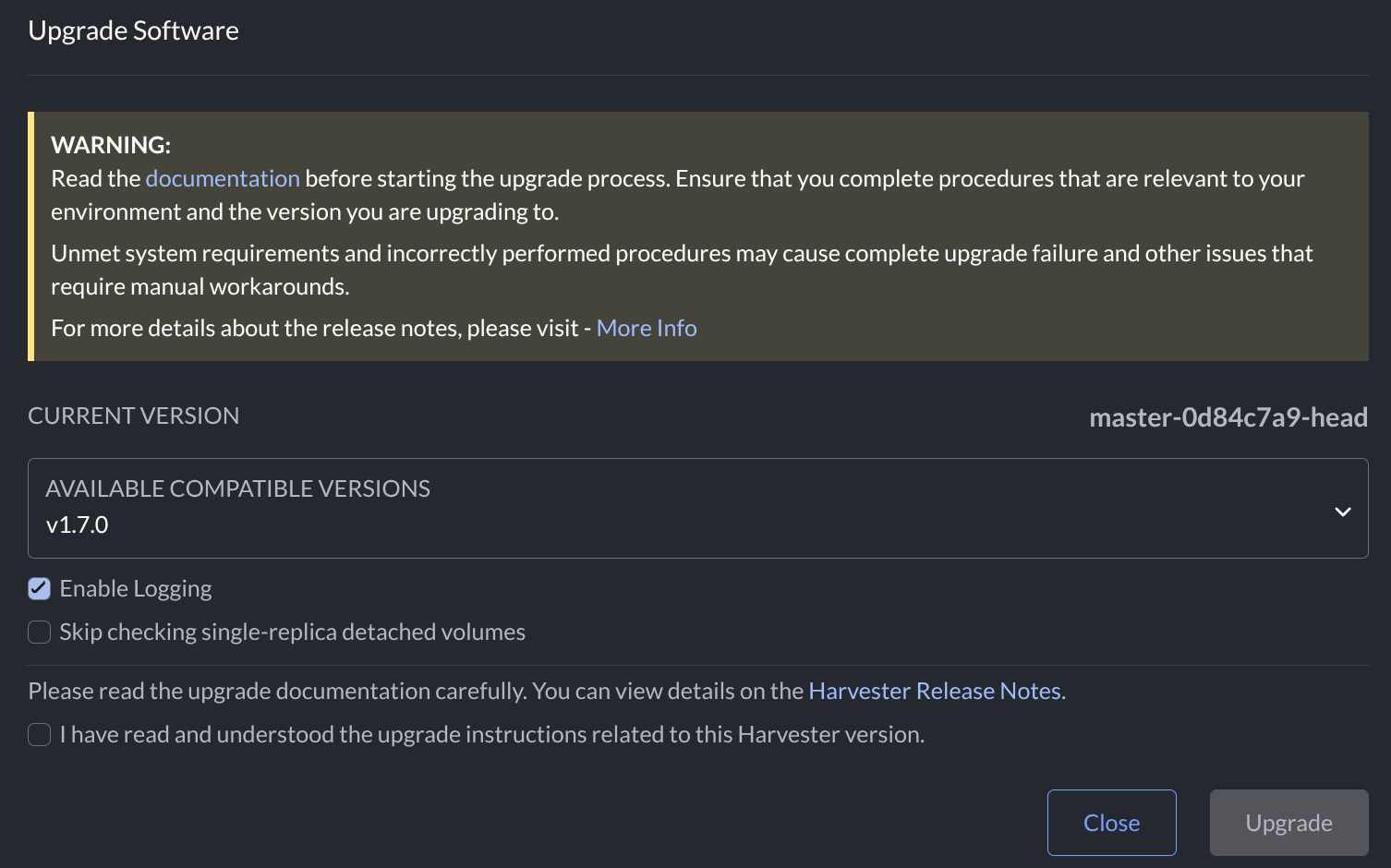
However, the background processing depends on whether the rancher-logging add-on is enabled.
When the add-on is disabled, the upgrade controller creates the following logging and managedchart objects.
$ kubectl get upgrade.harvesterhci -A
NAMESPACE          NAME                 AGE
harvester-system   hvst-upgrade-hpfnw   36s

$ kubectl get logging -A
NAME                                          LOGGINGREF             CONTROLNAMESPACE
hvst-upgrade-hpfnw-upgradelog-infra           harvester-upgradelog   harvester-system        // newly created by upgrade controller
hvst-upgrade-hpfnw-upgradelog-operator-root                          cattle-logging-system   // newly created by upgrade controller, acts as logging-operator

$ kubectl get managedchart -A
NAMESPACE     NAME                                     AGE
fleet-local   hvst-upgrade-hpfnw-upgradelog-operator   18s  // newly created by upgrade controller
When the add-on is enabled, the upgrade controller creates the following logging object.
$ kubectl get upgrade.harvesterhci -A
NAMESPACE          NAME                 AGE
harvester-system   hvst-upgrade-9sn4x   14s

$ kubectl get managedchart -A
NAMESPACE     NAME                     AGE

$ kubectl get logging -A
NAME                                  LOGGINGREF                     CONTROLNAMESPACE
hvst-upgrade-9sn4x-upgradelog-infra   harvester-upgradelog           harvester-system        // newly created by upgrade controller
rancher-logging-kube-audit            harvester-kube-audit-log-ref   cattle-logging-system   // originally created by rancher-logging addon
rancher-logging-root                                                 cattle-logging-system   // originally created by rancher-logging addon, acts as logging-operator
You may encounter the issue in the following situations:
-
The
rancher-loggingadd-on is initially disabled. You start the upgrade with the Enable Logging option selected. Without waiting for the upgrade to be completed, you enable therancher-loggingadd-on. The Harvester UI displays an error message. -
The
rancher-loggingadd-on is initially disabled. You start the upgrade with the Enable Logging option selected and wait until the upgrade is completed. Themanagedchartandloggingobjects are not removed because of a known issue. Next, you enable therancher-loggingadd-on. The Harvester UI displays an error message.
Workaround
-
If an upgrade is in progress, wait until it is successfully completed or removed.
importantTo avoid logging conflicts, do not enable or disable the
rancher-loggingadd-on while an upgrade is in progress. This action is blocked in Harvester v1.7.0 and later versions. -
If the
rancher-loggingadd-on is enabled but in a failed state, disable it. -
Check the
loggingandmanagedchartobjects. If the names of these objects start withhvst-upgrade-, manually delete them. -
Enable the
rancher-loggingadd-on.
All add-ons must be in a healthy state prior to starting an upgrade. This prerequisite is automatically verified in Harvester v1.7.0 and later versions.