SUSE Observability Agent (Experimental)
Available as of v1.8.0
SUSE Observability Agent is an experimental add-on. It is not included in the Harvester ISO, but you can download it from the experimental-addons repository. For more information about experimental features, see Feature Labels.
The SUSE Observability Agent add-on installs the suse-observability-agent onto the Harvester cluster, the Harvester cluster will connect to the SUSE observability. SUSE Observability delivers comprehensive monitoring, advanced analytics, and seamless integration capabilities.
Installing and Enabling the Add-on
Prepare access data from SUSE Observability
- Login to the running SUSE Observability UI.
- Add a new instance with a name like
harvester1. - Click the CREATE NEW SERVICE TOKEN button as shown below and follow the guide which will open to generate token and save it.
- The guide page shows a long text, find the key word
Generic Kubernetes.
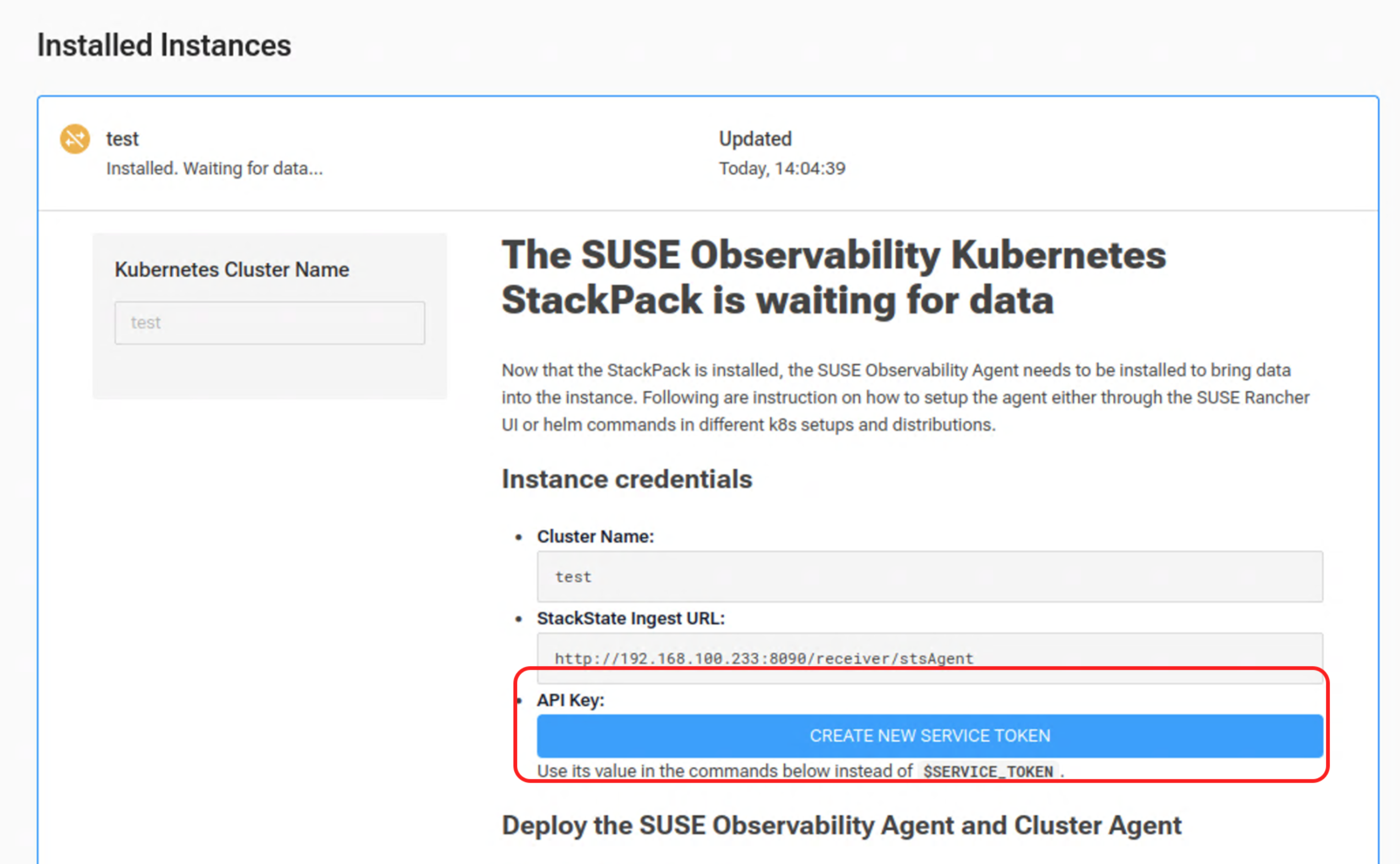
Instructions on how to deploy the SUSE Observability Agent and Cluster Agent on a Kubernetes cluster (Generic Kubernetes including RKE2) can be found below:
Example:
... If you do not already have it, add the SUSE Observability helm repository to the local helm client:
helm repo add suse-observability https://charts.rancher.com/server-charts/prime/suse-observability
helm repo update
Deploy the SUSE Observability Kubernetes Node, Cluster and Checks Agents to namespace suse-observability with the helm command below:
helm upgrade --install \
--namespace suse-observability \
--create-namespace \
--set-string 'stackstate.apiKey'=$SERVICE_TOKEN \
--set-string 'stackstate.cluster.name'='harvester1' \
--set-string 'stackstate.url'='http://192.168.122.141:8090/receiver/stsAgent' \
suse-observability-agent suse-observability/suse-observability-agent
Save the TOKEN and helm upgrade commands, they will be used in following steps.
Create the experimental addons on a running Harvester cluster
Run following command upon the target Harvester cluster to create the experimental addons suse-observability-agent.
kubectl apply -f https://raw.githubusercontent.com/harvester/experimental-addons/v1.8/suse-observability-agent/suse-observability-agent.yaml
Fill in above saved data to following fields
From Harvester UI, click Addons, locate suse-observability-agent and click Edit YAML; or run kubectl edit addons.harvesterhci -n suse-observability suse-observability-agent, then:
Fill below fields:
-
apiKey: The service token. Value is from aforementioned CREATE NEW SERVICE TOKEN.
-
cluster.name: The name used to identify this specific cluster. Value is from above line:
set-string 'stackstate.cluster.name'. -
url: The endpoint for the receiver. Value is from above line:
set-string 'stackstate.url'.
Example:
  valuesContent: |
    stackstate:
      apiKey: svctok-OxZrVBdB5g7UUESBNW1ozx5u7NrqaaBx
      cluster:
        name: harvester1
      url: http://192.168.122.233:8090/receiver/stsAgentreceiver/stsAgent'
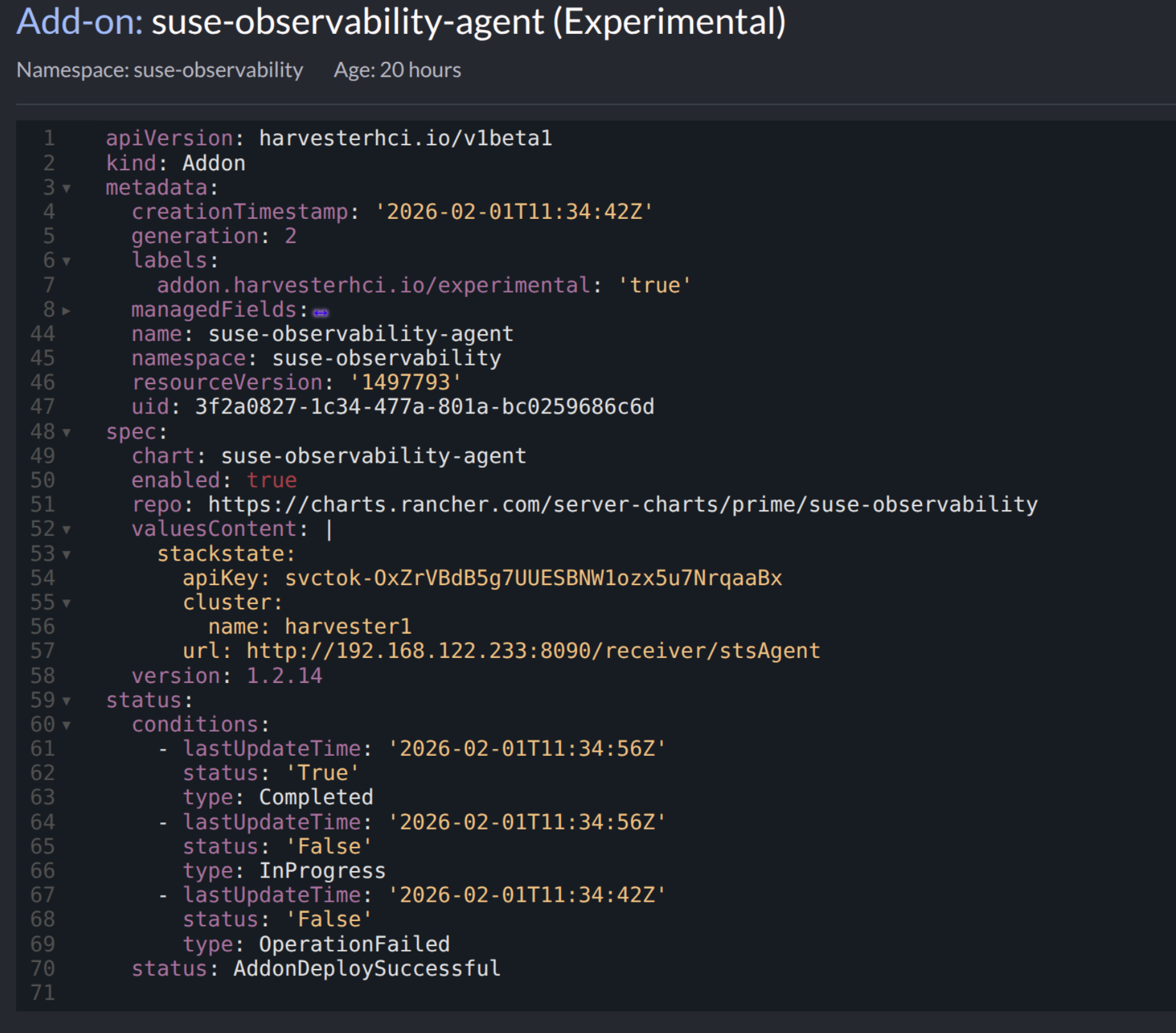
If any of above fields does not match the value on SUSE Observability, the registration will fail.
Enable the addon
After that, click the three dot menu to Enable addon.
When the addon is successfully enabled, you will observe following PoDs are deployed to the suse-observability namespace on Harvester.
$ kubectl get pods -n suse-observability
NAME                                                      READY   STATUS      RESTARTS   AGE
helm-install-suse-observability-agent-tbk8w               0/1     Completed   0          7s
suse-observability-agent-checks-agent-5f5f5dc5b4-jgr6w    0/1     Running     0          5s
suse-observability-agent-cluster-agent-5f865f5f84-6q648   1/1     Running     0          5s
suse-observability-agent-logs-agent-rd6ks                 1/1     Running     0          5s
suse-observability-agent-node-agent-c5ldd                 1/2     Running     0          5s
suse-observability-agent-rbac-agent-7888cc47c9-pgj22      1/1     Running     0          5s
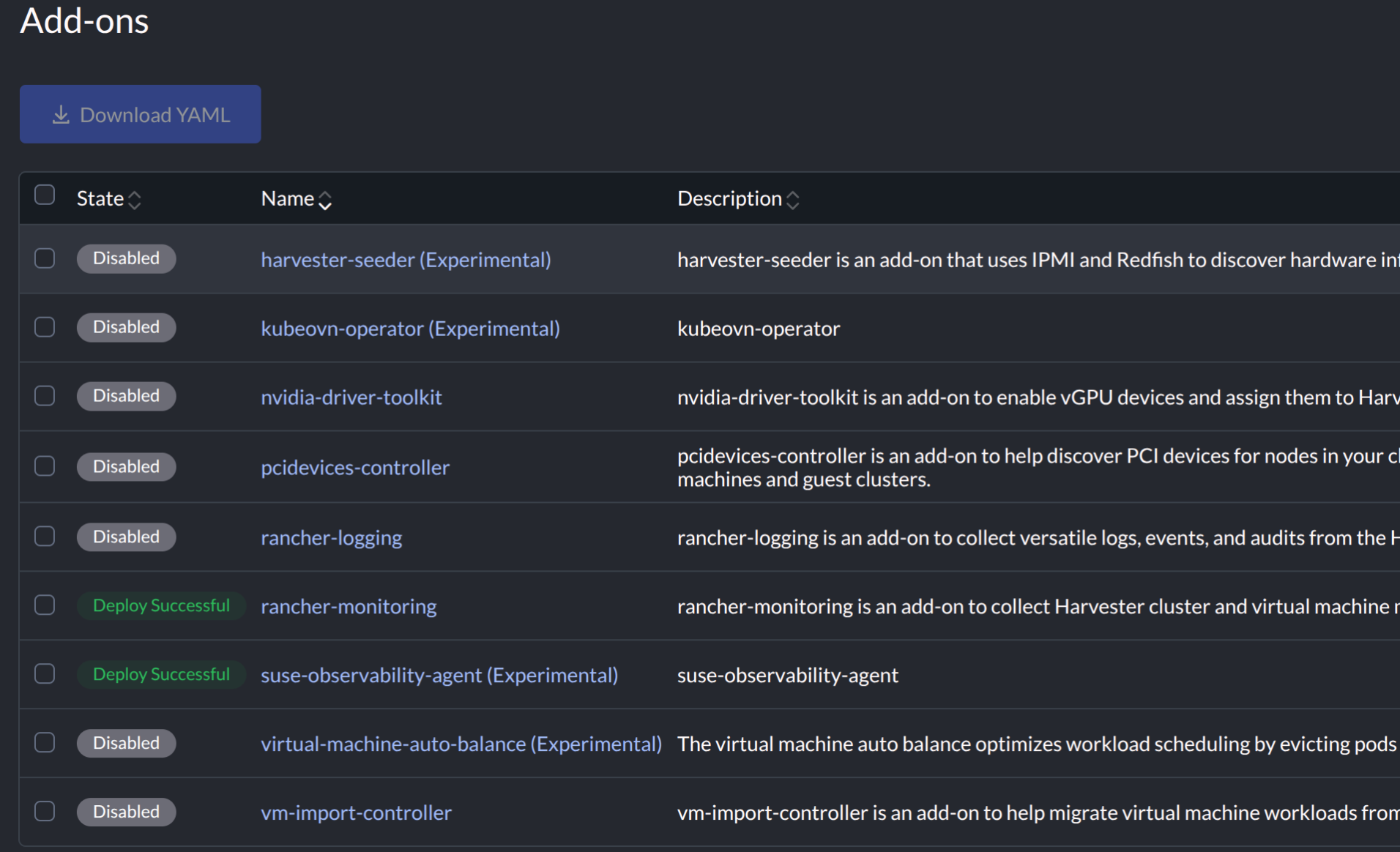
On SUSE Observability UI, the Harvester instance is registered.