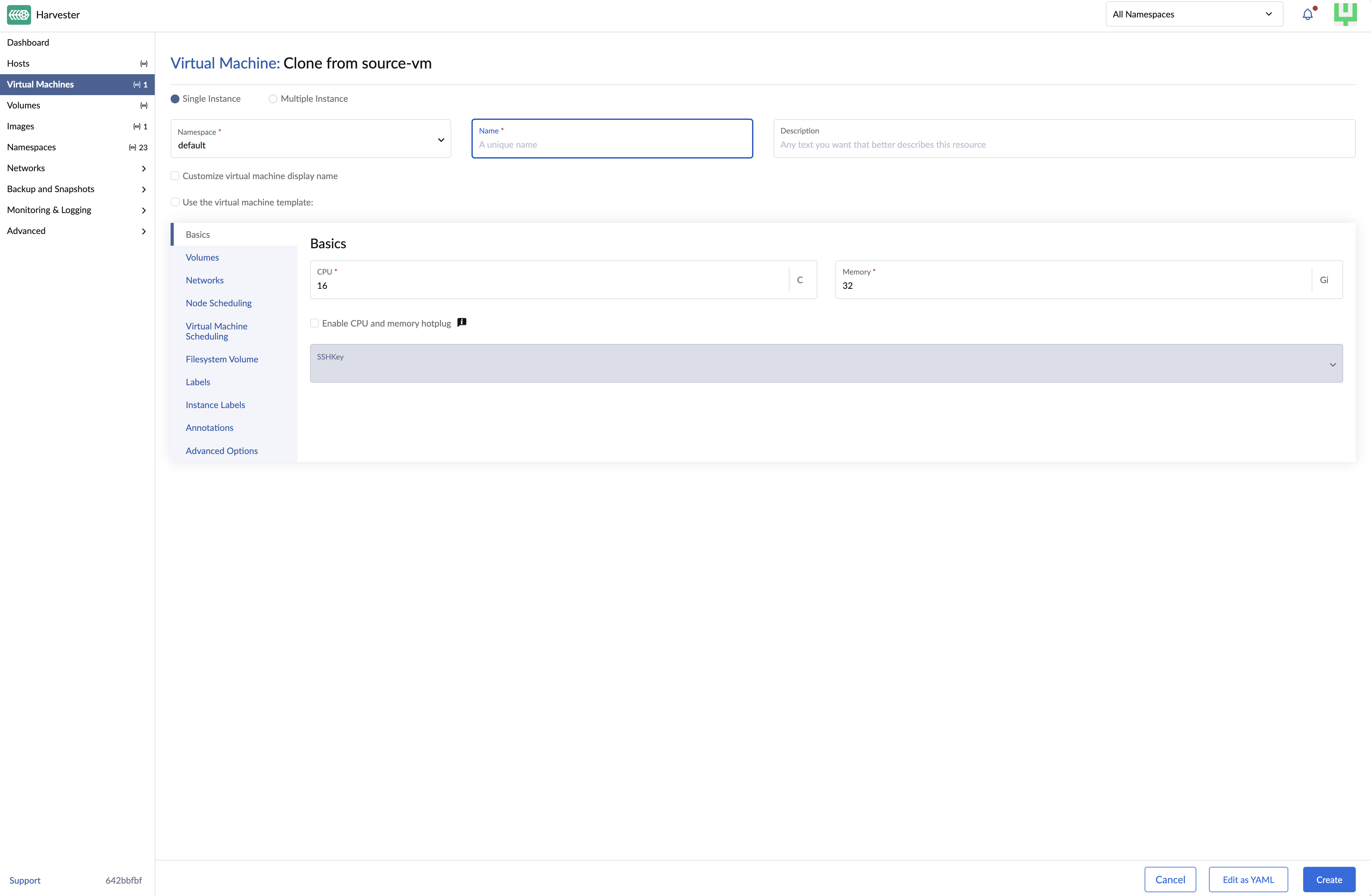
Clone VM
Available as of v1.1.0
VM can be cloned with/without data. This function doesn't need to take a VM snapshot or set up a backup target first.
The cloned virtual machine inherits the source's basic configuration. You can choose whether to include the source's volume data, as well as customize the clone's name and run strategy.
Clone a Virtual Machine with Volume Data
-
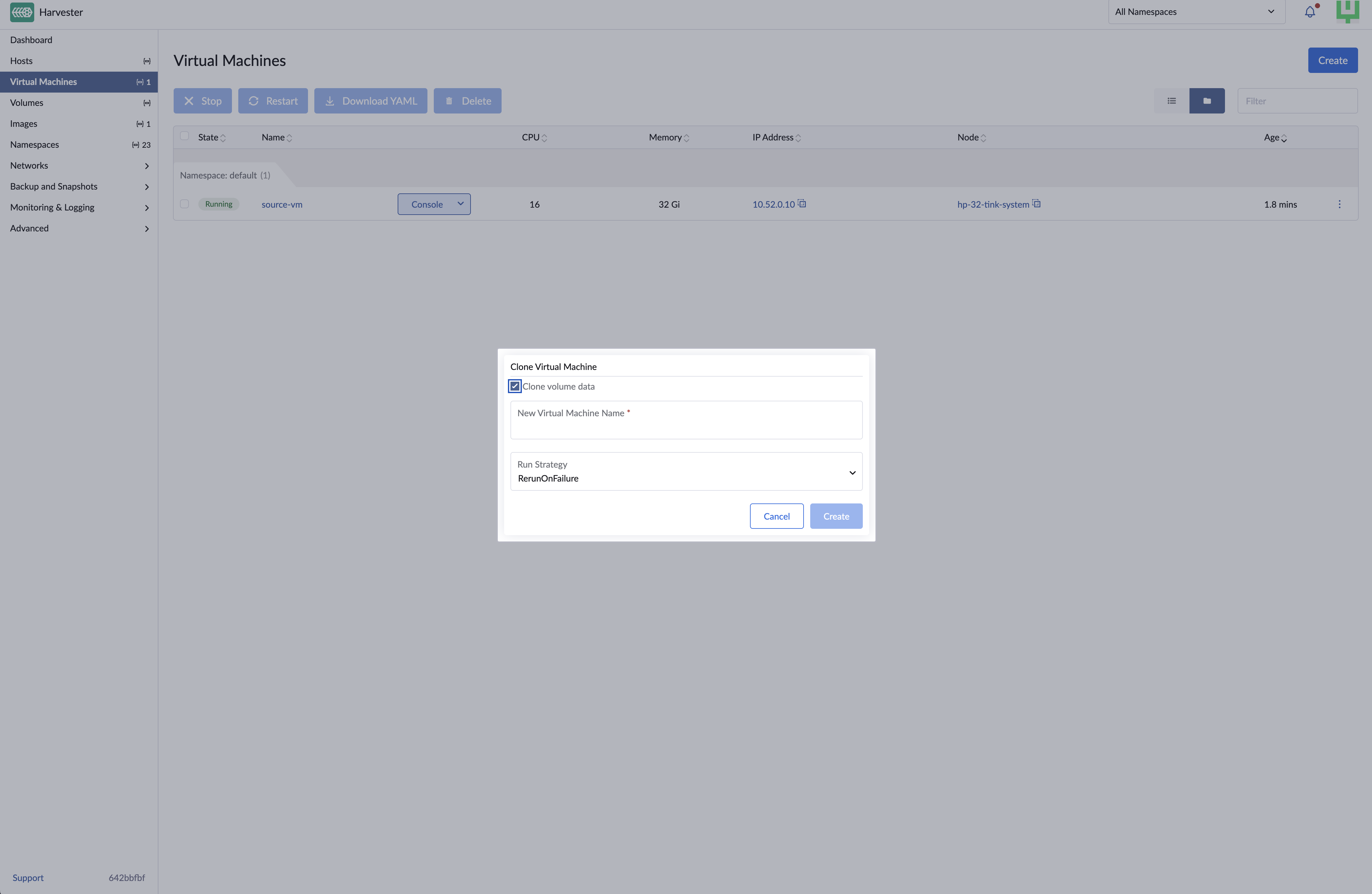
On the Virtual Machines screen, locate the target virtual machine and select ⋮ > Clone.
-
Specify a unique name for the cloned virtual machine.
-
Select a run strategy. The cloned virtual machine uses the source's run strategy by default.
-
Click Create.
Clone a Virtual Machine Without Volume Data
Cloning a virtual machine without volume data creates a new virtual machine with the same configuration as the source virtual machine.
-
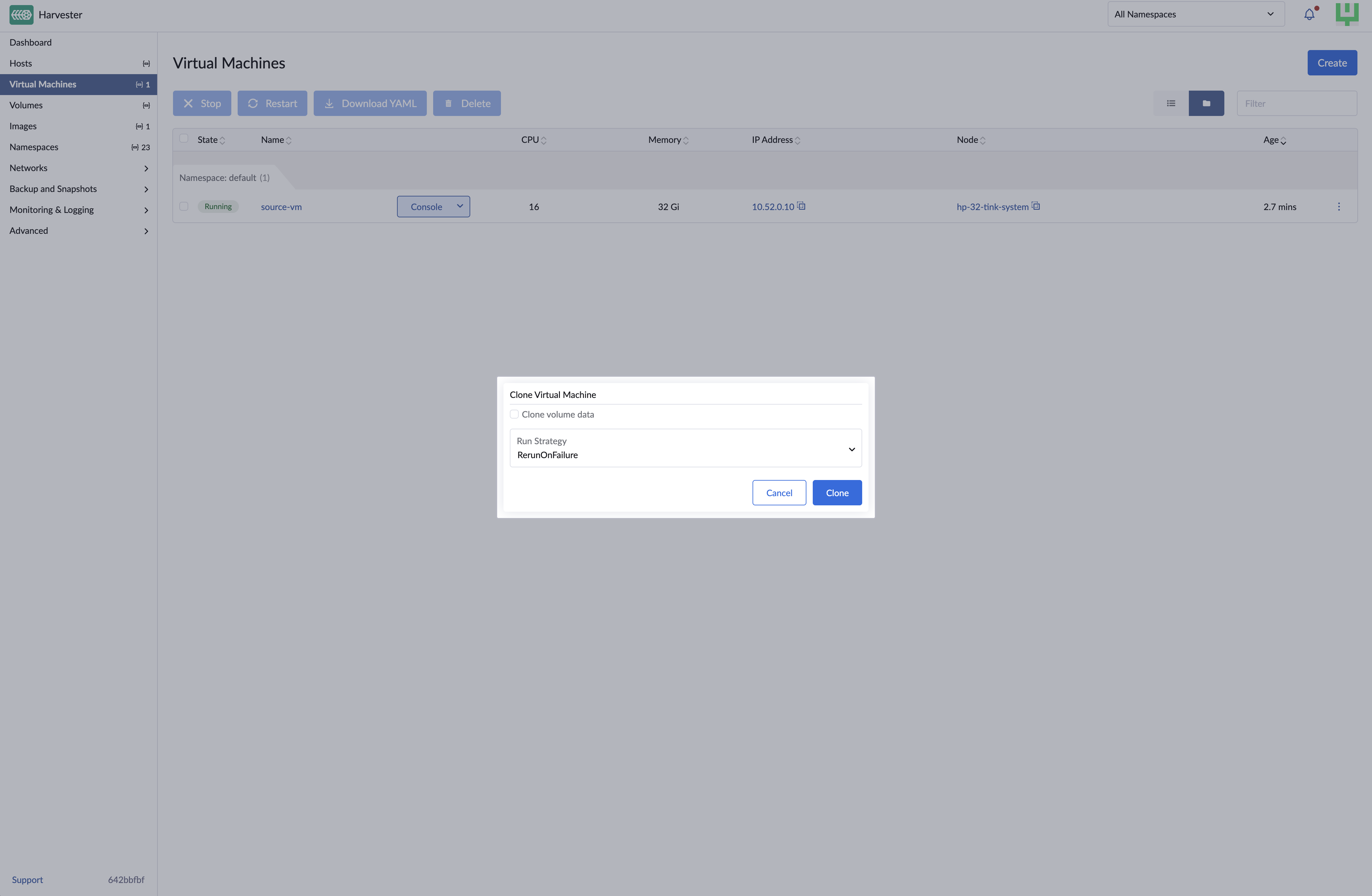
On the Virtual Machines screen, locate the target virtual machine and select ⋮ > Clone.
-
Clear Clone volume data.
-
Specify a unique name for the cloned virtual machine.
-
Select a run strategy. The cloned virtual machine uses the source's run strategy by default.
-
Click Create.