Guest Cluster using KubeOVN Networks
Introduction
Rancher provides centralized management for Kubernetes clusters across multiple environments. When integrated with Harvester, Rancher can provision guest Kubernetes clusters directly on virtual machine infrastructure managed by Harvester.
Using the Harvester Node Driver, Rancher automatically creates virtual machines that serve as control plane and worker nodes. This simplifies cluster deployment and lifecycle management by providing a single interface for infrastructure and Kubernetes operations.
While guest clusters can use traditional virtual machine networking, they can also leverage Kube-OVN overlay or underlay networking to provide a flexible and Kubernetes-native networking model for workloads.
Guest Cluster Deployment on Underlay Network
Deploying guest clusters on pure underlay networks is functionally similar to using traditional virtual machine VLAN networks, but with the added advantages of Kube-OVN features such as network policies and tenant-isolated VPCs.
For information about setting up the overlay infrastructure, see Create an underlay network.
Guest Cluster Deployment on Overlay Network
Deploying guest clusters on overlay networks requires configuring a VPC NAT gateway to provide inbound and outbound connectivity to the virtual machines through DNAT and SNAT.
The key architectural features are as follows:
- Harvester provides the virtual machine infrastructure where the guest cluster control plane and worker nodes run.
- Rancher is responsible for provisioning and managing the lifecycle of the guest Kubernetes cluster.
- Kube-OVN provides the network connectivity for the VMs hosting the guest nodes through its overlay network between Harvester hosts.
- The guest cluster CNI (for example, Calico) manages pod networking, while pod traffic is transported over the underlying Kube-OVN-provided VM network.
Kube-OVN overlay networking enables guest clusters to manage pod networking independently of the underlying Harvester infrastructure network. This provides the following operational benefits:
- Simplified cluster deployment
- Reduced dependence on physical network configuration
- Dynamic cluster scaling without additional VLAN planning
- Consistent networking model across environments
For information about setting up the overlay infrastructure, see Create a VPC NAT Gateway.
Guest Cluster Provisioning
Importing Harvester Clusters into Rancher
Harvester clusters are imported through Rancher's Virtualization Management interface.
The following occur after a Harvester cluster is imported:
- Rancher recognizes the cluster as a Harvester provider.
- Virtual machine resources become available through Rancher.
- Harvester can be selected as an infrastructure provider when creating downstream clusters.
For detailed instructions, see Importing Harvester Cluster.
Provisioning a Guest Cluster
Rancher uses the Harvester Node Driver to automatically provision the required virtual machines and bootstrap Kubernetes on them.
For detailed instructions, see Harvester Node Driver.
In the Networks section of the cluster creation screen, you must specify the correct underlay or overlay network.
For virtual machines provisioned as downstream cluster nodes, ensure external connectivity by enabling DHCP, specifying a valid dns_server IP address (for example, 8.8.8.8), and setting natOutgoing=true on the subnet. This configuration ensures that nodes obtain a default route, perform DNS resolution, and access external networks.
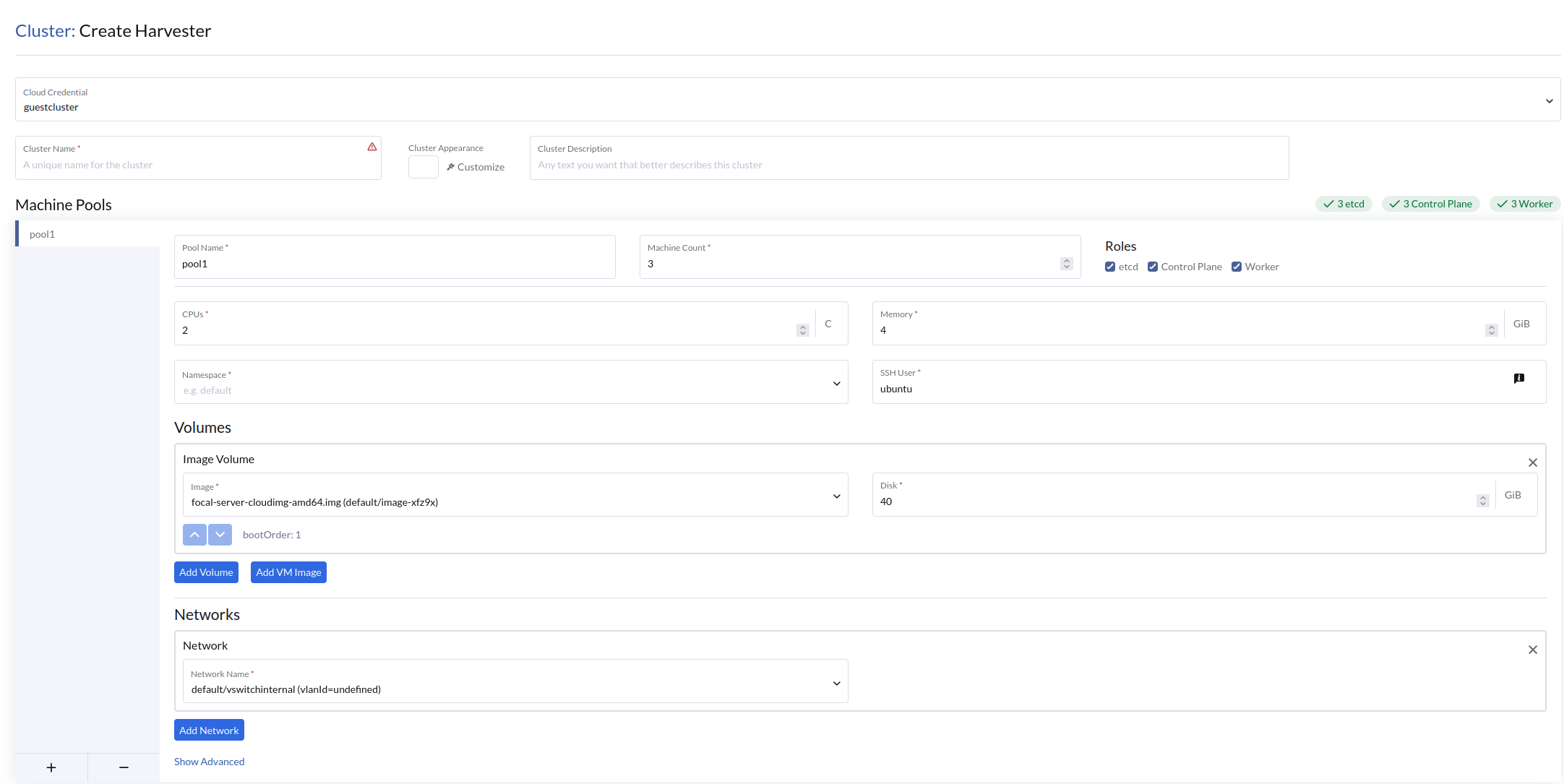
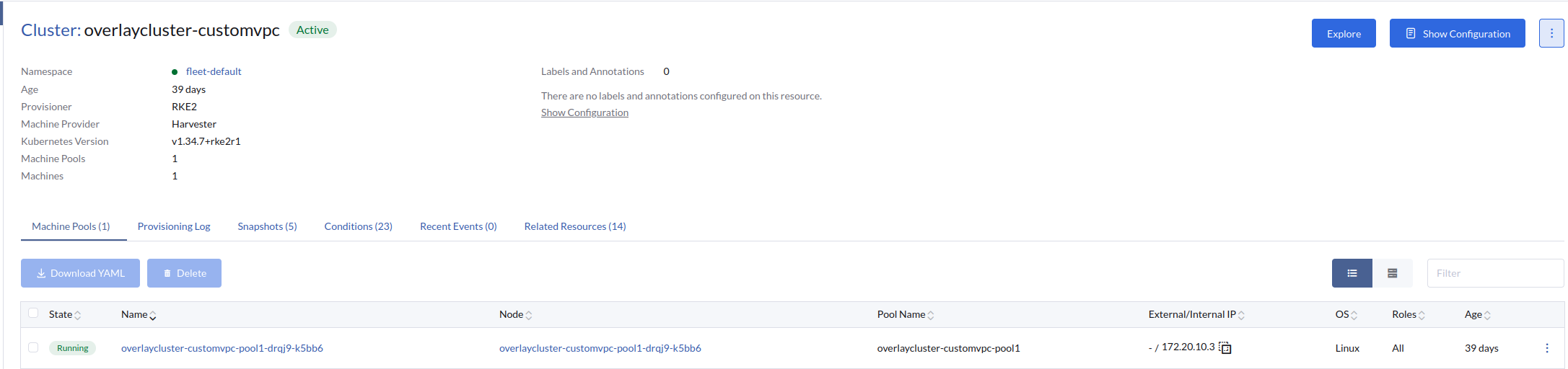
Because guest cluster nodes on Kube-OVN overlay networks use private IP addresses, you must configure a route to the virtual machine node subnet on the Rancher virtual machine, specifying the Kube-OVN EIP (configured during VPC NAT gateway EIP setup) as the next hop. This ensures network reachability between the Rancher virtual machine and guest cluster nodes, enabling SSH access through the Rancher UI for debugging.
Limitations
Harvester v1.9.0 supports basic virtual machine provisioning for guest cluster workloads. However, LoadBalancer services and CSI-based ReadWriteMany (RWX) volumes are not supported on guest clusters using Kube-OVN networks.